Speed to lead without losing your voice
Fast reply wins the first conversation. A reply that does not sound like you loses it. How to make response both immediate and approved — in your actual voice, with every send under your control.
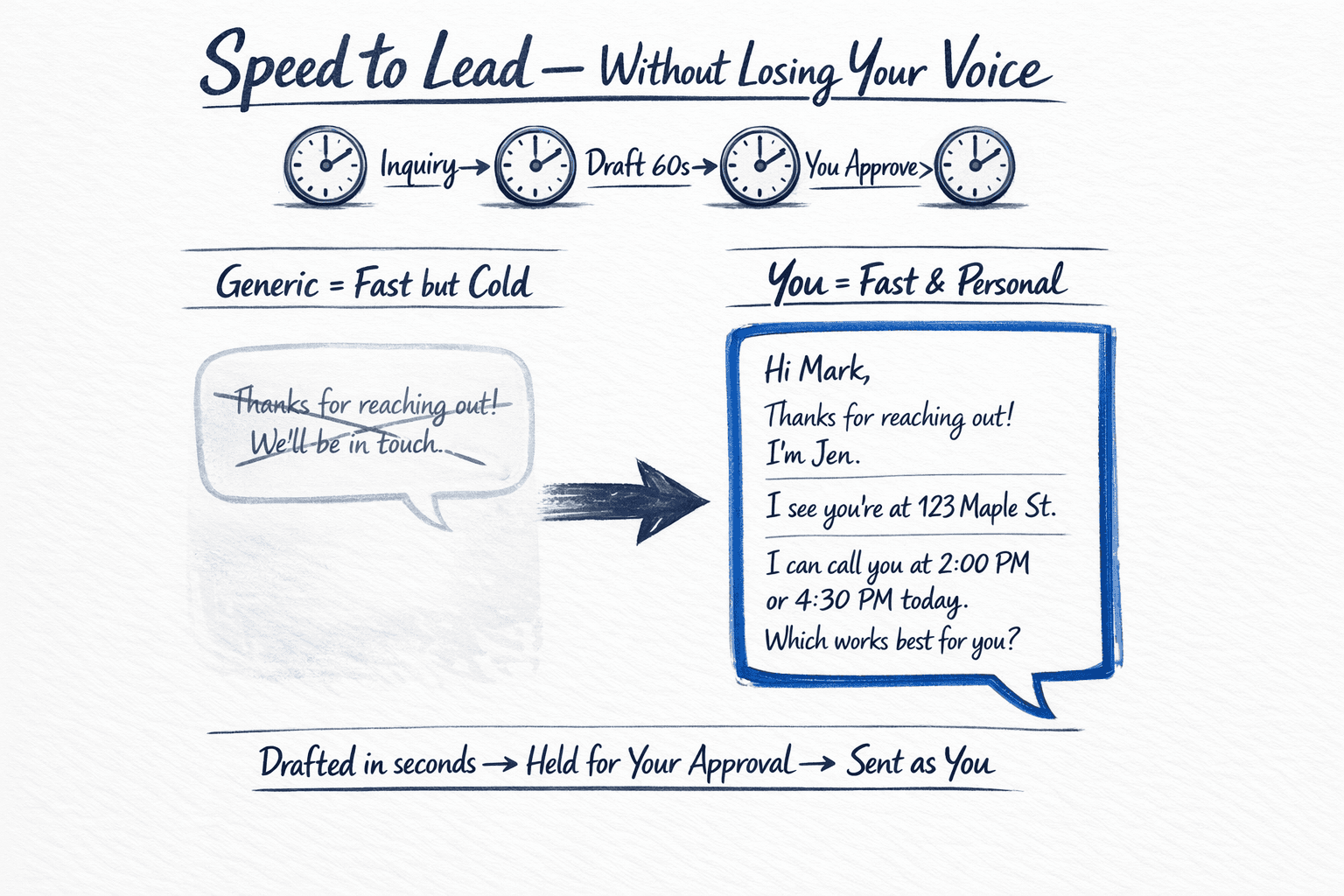
Speed to lead is measured in minutes. Trust is measured in whether the reply sounds like the person who will show up to the appointment. Most automation forces a trade: be fast but generic, or be personal but late. The operating question is how to be both — a draft that arrives in seconds, in the sender's real voice, and waits for approval before it ever sends.
Why generic speed backfires
A portal lead who gets 'Thanks for reaching out! A team member will be in touch shortly' has learned one thing: no one has actually read their message. Contrast that with a reply that references the specific address or criteria they mentioned, offers two times you are actually available, and confirms the next step. The second reply does more work, but it requires context — past messages, calendar, and your usual phrasing — held together long enough to draft well.
How the approval loop works
- An inquiry arrives and is triaged — portal, website, or inbox — with its intent and urgency tagged.
- A reply is drafted from your past approved sends, your calendar, and the inquiry's specifics. It is not sent.
- You get one decision: approve, edit, or skip. Edits train the next draft; approvals send and log to the CRM.
- Follow-up cadence continues from the same thread, still drafted-and-held, until you or context closes the loop.
Writing in your voice, not a template's
Voice is not a tagline. It is the phrasing you consistently approve. We seed drafts from your prior sends and your edits — not from a generic library — and keep a short style note: how you greet, how you close, how you handle price or timing questions, and which phrases you never want sent. Every edit refines the next draft.
Questions we hear
Will recipients know AI helped draft the message?
Recipients see a message you approved, in your voice, from your address. The AI roles behind the draft are internal operations — like any team that prepares a reply for your approval. Portraits on our site are illustrative personas for those roles, not people the recipient interacts with.
What if I'm on a showing and can't approve immediately?
You set how time-sensitive first replies are handled — approve from your phone in seconds, delegate to a named teammate for that window, or allow a narrow, pre-written fallback only for that specific case. The boundary is yours and written down before launch.